
Google tests moving Business Profile posts higher, weeks after new rules on what posts can contain
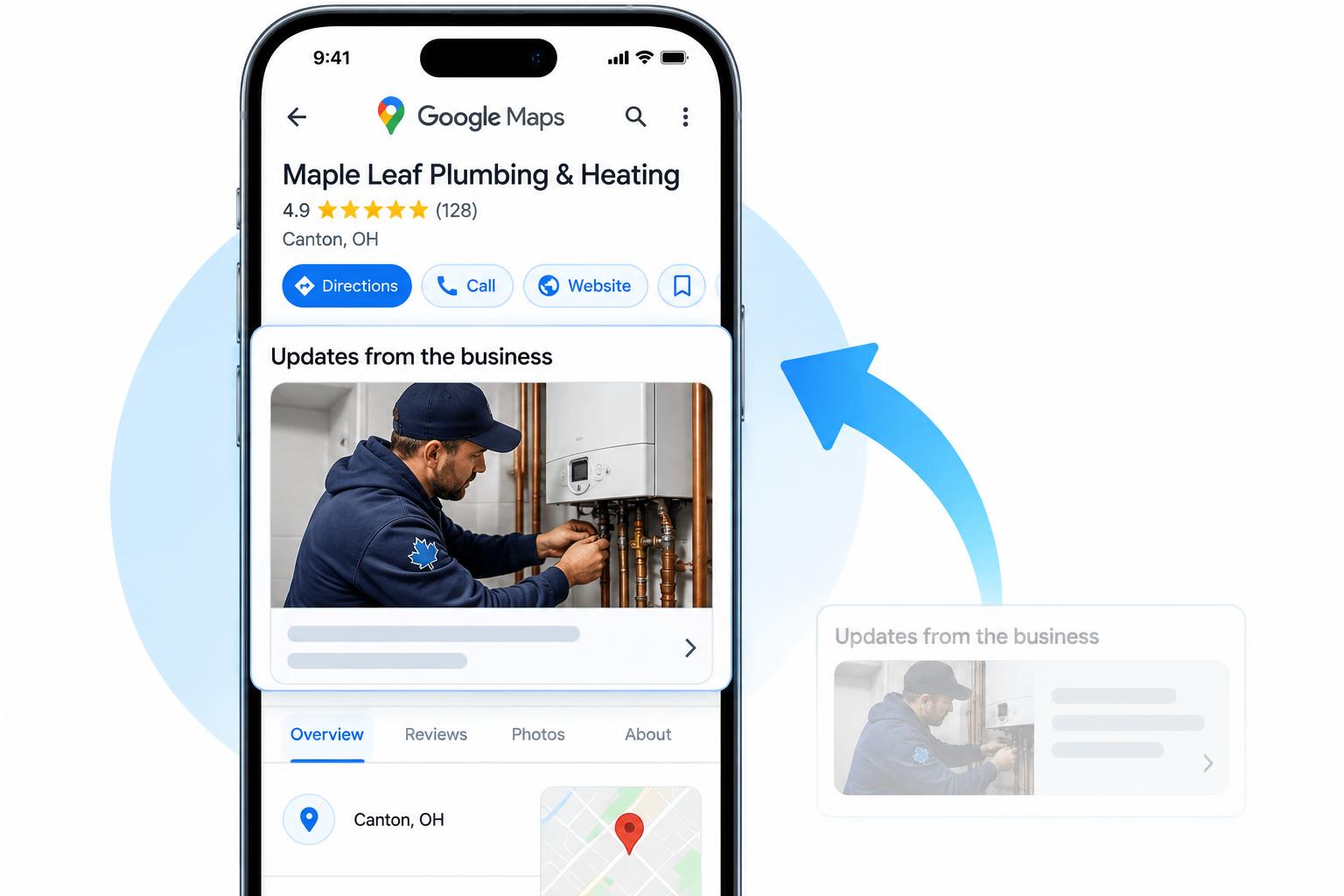
Google is testing business updates near the top of Maps and Search listings. Its updated Maps content policy now spells out what merchants can and cannot put in a post.
By local-SEO.com Editorial Team · Published
Official source: Google Maps user-generated content policy (opens in a new tab)
What happened
Two changes landed close together for local businesses.
1. Posts are being tested higher on the profile. Since around 2018, updates from a business have sat near the bottom of its Google listing, below reviews and other details. Google is now testing a layout that shows those updates much closer to the top, right under the business name and buttons. The test switches on and off every few days, so you may see it on one profile and not another.
2. The rules for posts were rewritten on 6 October. The "Advertising & solicitation" section of Google Maps' content policy used to be two lines: no promotional content, and no contact details or links in reviews. The new version explains why. Contributions should "reflect genuine experiences or define a business's permanent identity" so the platform "remains reliable rather than a marketplace". It then splits the rules into separate lists for users and for merchants.
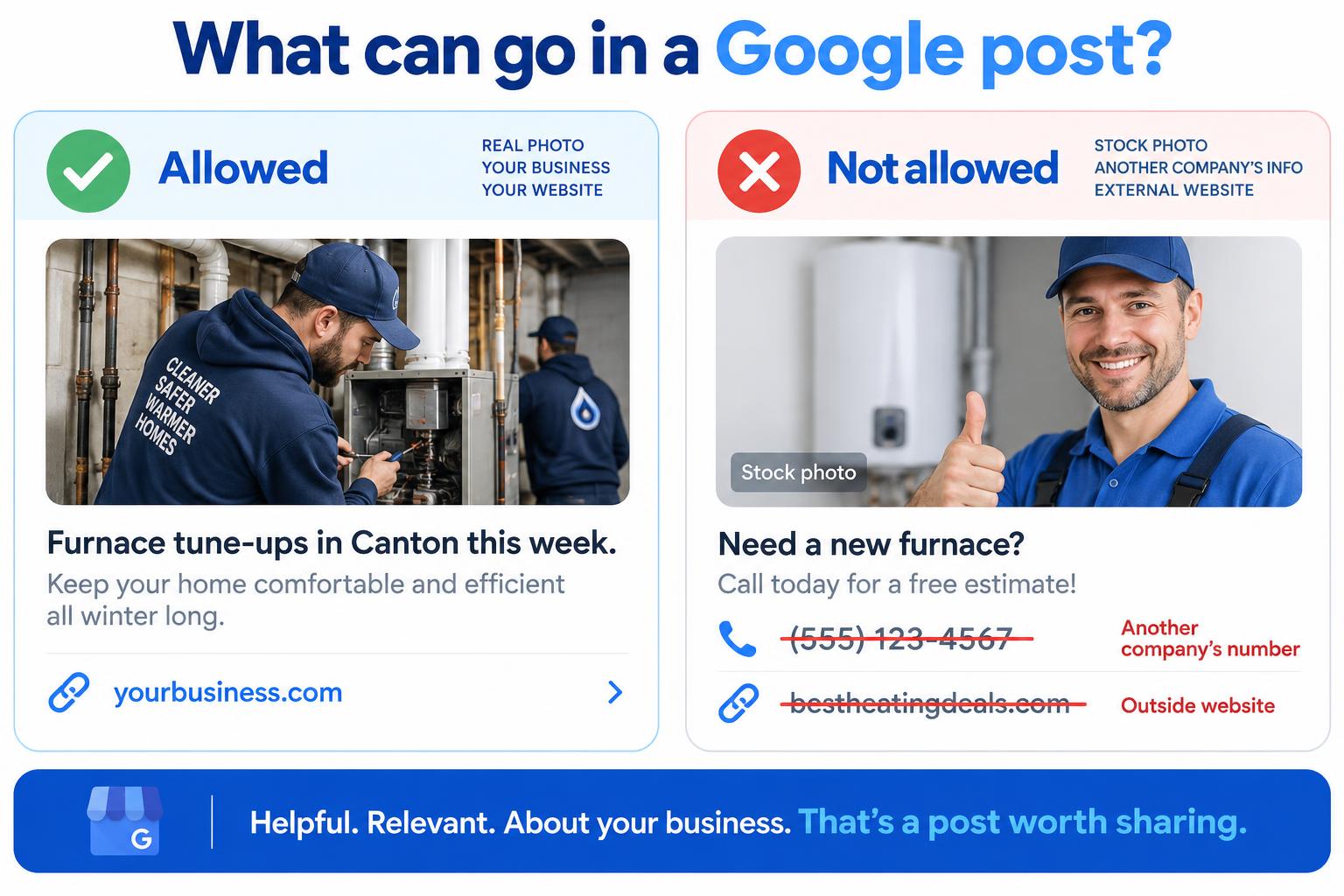
For merchants, posts may not include email addresses, phone numbers, social media links or links to other websites that are not related to your business. Offers and updates that could look promotional are still allowed in posts. Time-bound promotions, pricing and direct calls to action are now listed as off limits in the listing itself, which is a different place from posts.
Our take
We think these two changes are connected. If Google is going to show business updates to far more people, it wants those updates to be genuine, about the business that posted them, and free of other companies' details. Google hasn't said so, and the layout is still a test, so treat this as our reading rather than an announcement.
Either way, the cost of a stale profile is going up. An update from last spring will be harder to hide if it moves near the top.
What to do
Search for your main service and open the businesses that show above you on the map. Check when each one last posted. If it has been months, there is a gap you can fill. Here is a simple routine, using our example business Maple Leaf Plumbing & Heating in Canton, OH:
- Post two or three updates a week. Short is fine.
- Use a real photo of your team or your work. Skip stock photos.
- Name one service in each post, ideally the one you want more calls for, such as "furnace tune-ups" or "water heater replacement".
- Only include phone numbers or links that belong to you. No partner sites, directories or other companies' numbers.
- Keep prices and limited-time deals out of your business description and other listing details. Offers are still fine inside posts.
Posting is free and most updates take about ten minutes. Posting more often is not a ranking guarantee, but it gives customers a reason to choose you when they land on your profile.
Want help with the rest of your profile? Run the free or work through our Google Business Profile Mastery guide.
About local-SEO.com Editorial Team
The local-SEO.com editorial team covers search and AI updates that affect local businesses and the agencies that serve them.
More news
- Google announces clearer links in AI Mode and AI Overviews
- Google announces Universal Cart for Search and the Gemini app
- Google announces YouTube learning paths for Search fundamentals and technical SEO
- Google Business Profiles Add Four Dietary Attributes for Restaurants
- Bing introduces Topics Portfolio beta in AI Performance
Have a story or tip? Write for us.