
Lesson 3 of 6 · Social search and brand discovery
Read the numbers without mixing them up
What it is
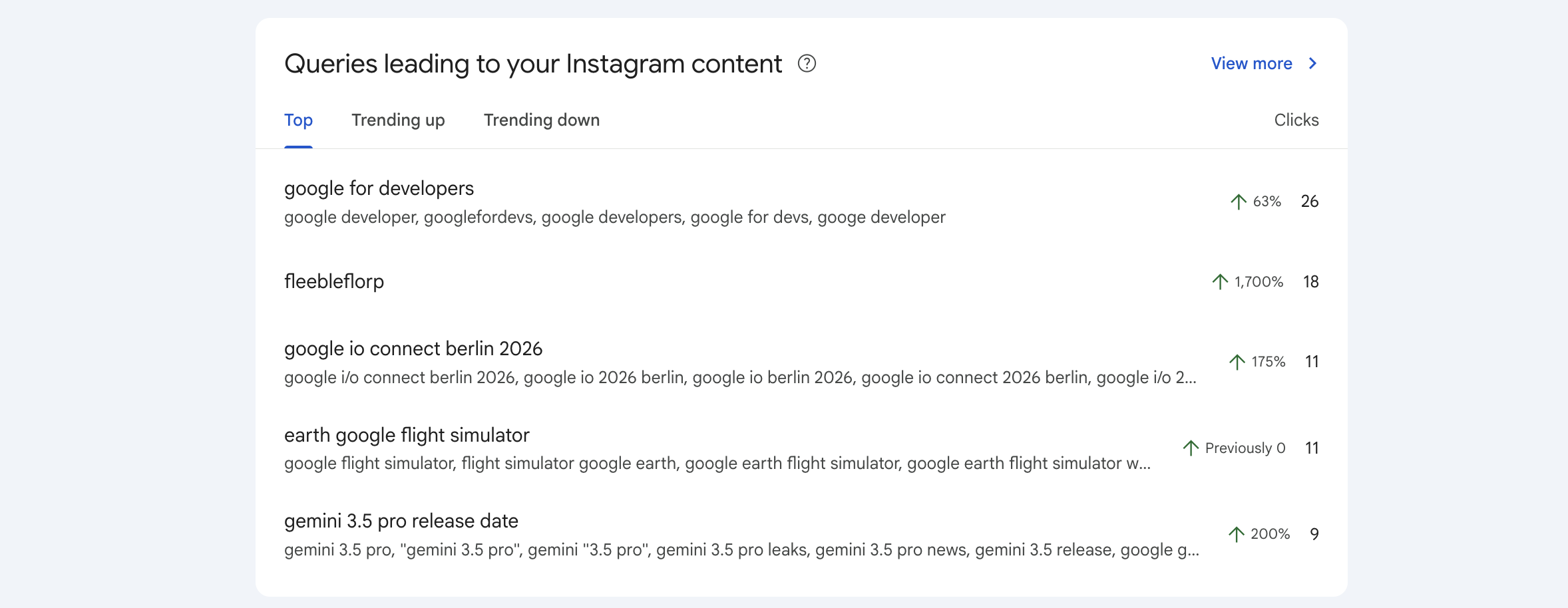
Open the social property, not your website property. Start with Insights for a quick overview, then Performance for detail. Clicks: clicks on your content from the reported Google surface. A click can open a video in Google's viewer, so it is not necessarily a website visit. Impressions: recorded appearances of your content on Google. They are not unique people or in-app social impressions. CTR: clicks divided by impressions. A useful diagnostic, not a sales conversion rate. Average position: an average across reported search appearances, not a fixed rank in your city. Review content URLs, queries, countries and devices where the report provides them. Google News and Discover reports only appear when there is traffic from those surfaces. The default range is 28 days. New properties can have only a partial period of data. The Insights summary can include clicks across Google's search types while its detailed lists focus on web search, so card totals may differ. Treat unavailable rows as unavailable, not zero. Screenshot: Google's example of an Instagram query-groups card, with Google's own sample data. It is not data from a Local-SEO.com customer. Source and instructions.
Why it matters
The right denominator helps you decide whether a post is being discovered, clicked or ignored without mistaking popularity for booked work.
✓ Good example
Illustrative maths: 20 clicks from 1,000 impressions gives 2% CTR. You still need a separate way to measure whether those people contacted the business.
✗ Common mistake
Calling 1,000 impressions 1,000 new customers, or adding Google clicks to in-app views and labelling the total as unique people.
You pass when: You can name one Google discovery metric and one outcome it cannot establish.