
Brand mentions and outreach
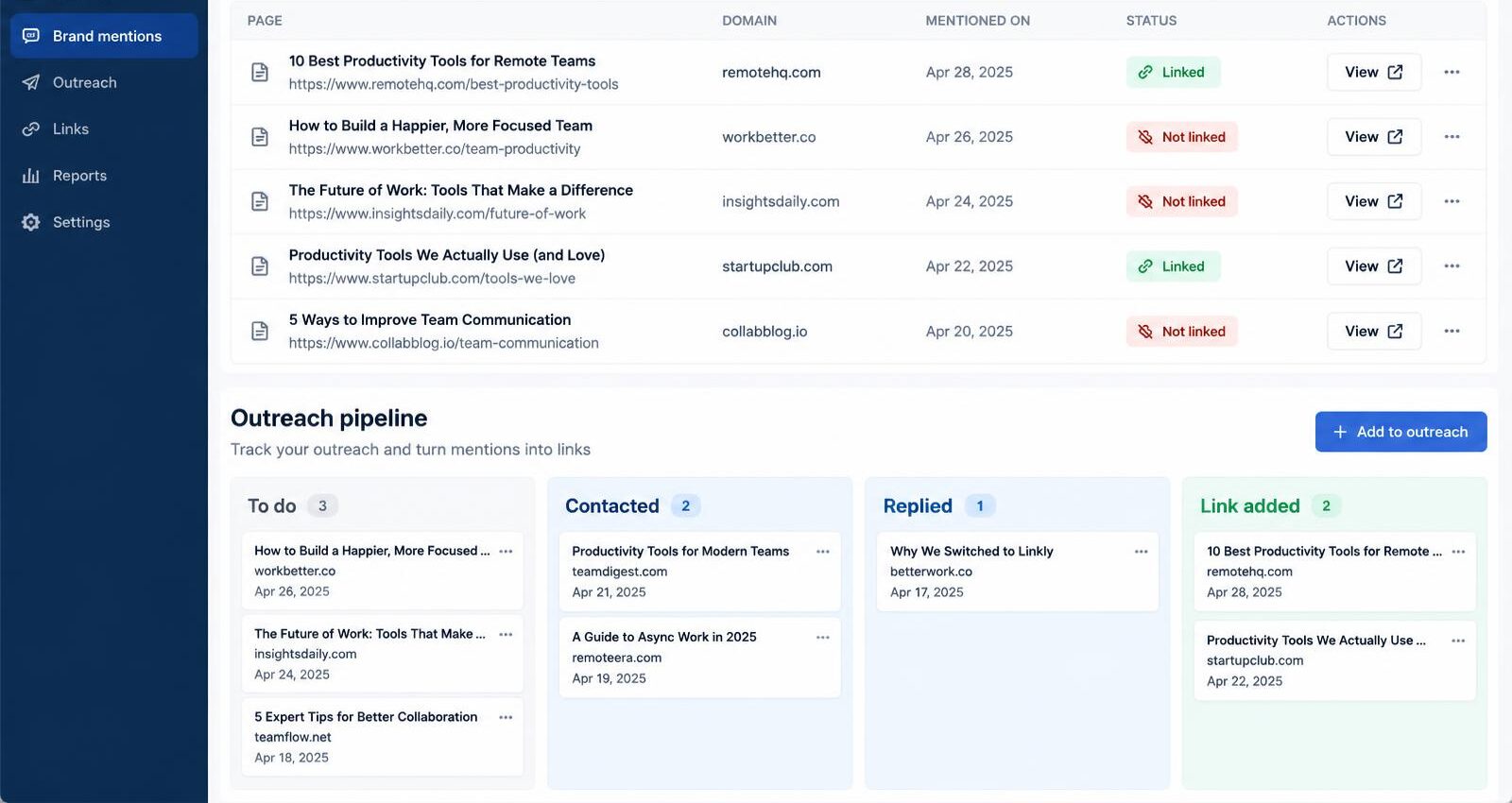
Brand mentions finds pages that name the business, including any "also known as" names, and shows which ones link to its website. Unlinked mentions become outreach tasks with follow-up dates.
See a sample check
A sample Brand mentions and outreach run for a fictional business, Maple Leaf Plumbing & Heating in Canton, Ohio. Free, no sign-up.
Checking: “Maple Leaf Plumbing & Heating” and 2 other names
What you get
Linked or not
Every mention shows whether it links to the website.
Sources to target
Websites ranked by how often they mention the business, alongside sites AI assistants cite.
Outreach pipeline
Tasks grouped as overdue, due this week, not contacted, waiting for a reply and done.
Your own email
Email drafts open in your own mail app. The app never sends outreach emails for you.
How it works
- Run a brand mentions check for the client.
- Add unlinked mentions to outreach.
- Send from your mail app and mark it sent; a follow-up is scheduled for seven days later.

What it costs
- Brand mentions check: 3 credits
Prices come from the live price list and are shown again before every run. Nothing is charged until you confirm, and failed checks are free. See plans and credits.
More features
Try it with your own clients
Create a free account to look around, then pick a plan when you're ready. Every paid action shows its credit cost and asks you to confirm first.
Already have an account? Sign in